Job Seeker Workbook — AppleOne
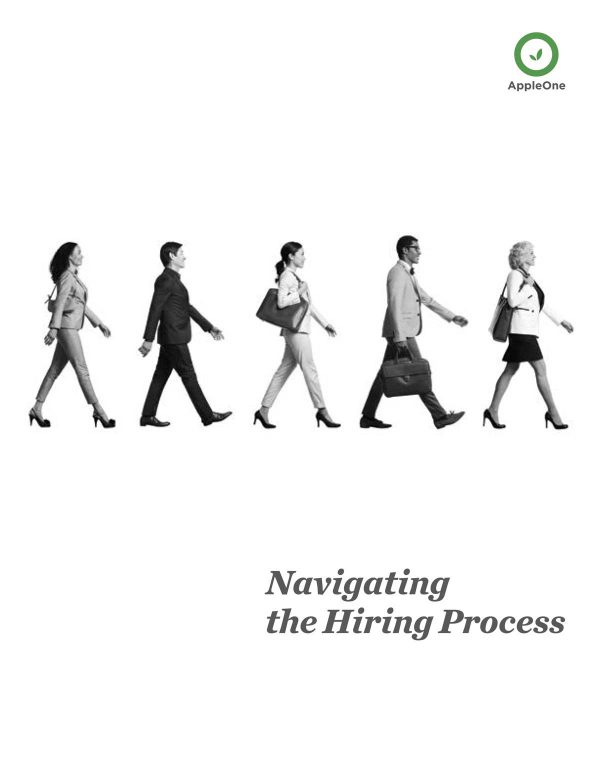
Navigating the Hiring Process
CLIENT
AppleOne Employment Services
ROLE
Creative Director (project direction, team execution)
DOWNLOAD
DELIVERABLES
30-page print and digital workbook, distributed in-office and as digital download
THE SITUATION
Not every job seeker who walks into an AppleOne office is ready to hit the ground running. Some need help getting the fundamentals in place — a resume that actually represents them, an interview outfit that makes the right impression, a clear sense of how the whole process works from start to finish. The question was how to give them something genuinely useful without it feeling like homework.
That’s a real design problem. A dry, text-heavy guide gets skimmed and forgotten. Something too slick feels condescending. The goal was a 30-page workbook that felt approachable and human — something a recruiter could hand across a desk and a candidate would actually take home and use.
WHAT I WAS THINKING
The people receiving this booklet are in a specific headspace. Job searching is stressful, and for a lot of candidates, the gap between where they are and where they need to be feels bigger than it actually is. The design had to account for that emotional context — not by being soft or vague, but by being clear, organized, and confidence-building at every step.
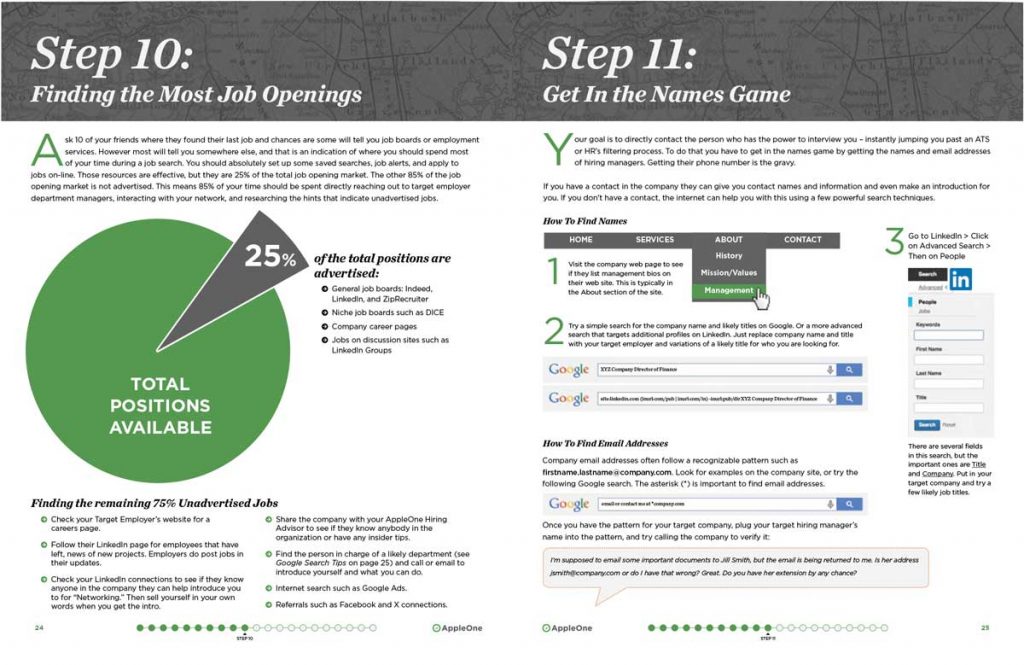
I directed the team to structure the content as a genuine step-by-step process rather than a collection of tips. There’s a meaningful difference between those two things. A tips list is something you glance at. A process is something you follow. We wanted candidates to pick this up, work through it in order, and arrive at the end actually prepared — resume tightened, interview outfit sorted, mindset in the right place.
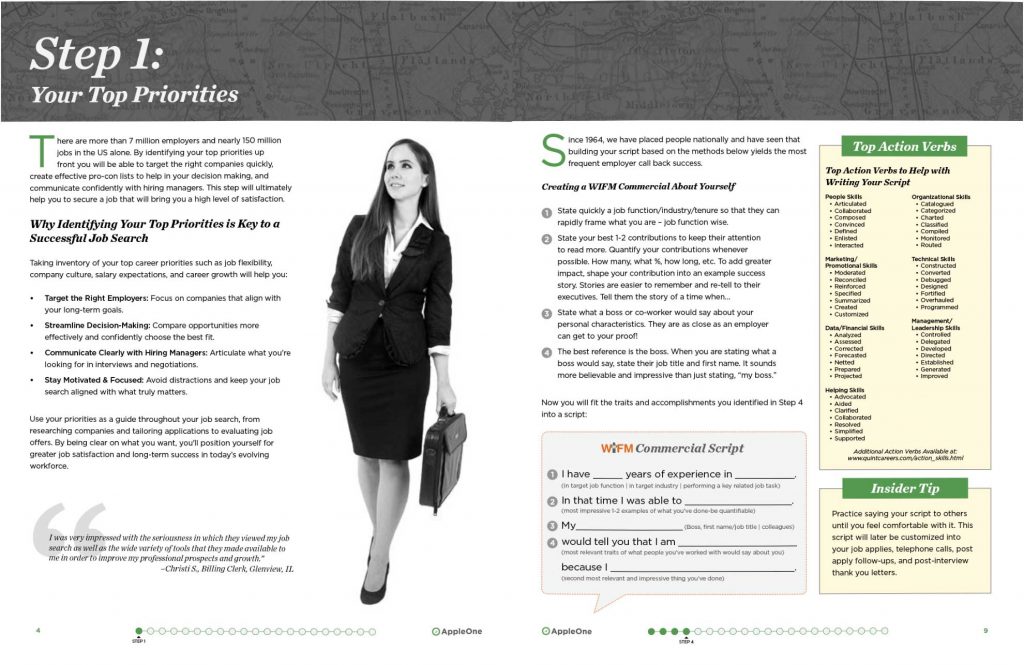
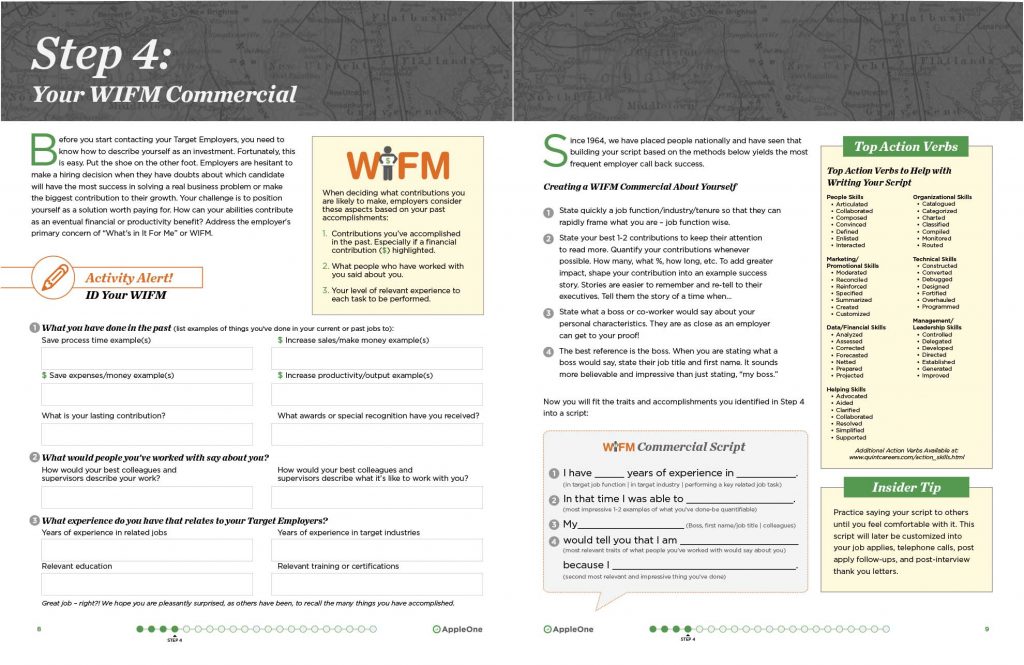
The worksheets throughout were the key to making that work. They turn passive reading into active preparation. You’re not just learning how to write a resume — you’re writing yours, right there on the page. That shift from information to action is what makes a workbook worth printing.
Thirty pages designed to work in two formats simultaneously — as a physical booklet handed out in AppleOne offices and as a digital download. That dual-format requirement shapes every layout decision. Pages need to be readable on a screen and hold up when printed, margins need to accommodate actual writing in the worksheet sections, and the overall feel needs to work whether someone is sitting in a waiting room or at their kitchen table.
HOW IT LANDED
The booklet became a standard tool across AppleOne offices — something recruiters reached for as a matter of course when working with candidates who needed a solid foundation before moving forward. When a piece of collateral gets that kind of adoption, it means it’s actually solving the problem it was designed for. That’s the goal every time.
Fifty years of hiring expertise distilled into something a nervous job seeker could hold in their hands and use. Not a bad deliverable.
SKILLS
Creative direction · Web design · Visual identity · Concept · Layout · Storytelling · UX thinking